
Documentation Index

Fetch the complete documentation index at: https://docs.browserbase.com/llms.txt

Use this file to discover all available pages before exploring further.

1

Get your Browserbase credentials

Go to the Dashboard’s Settings tab:
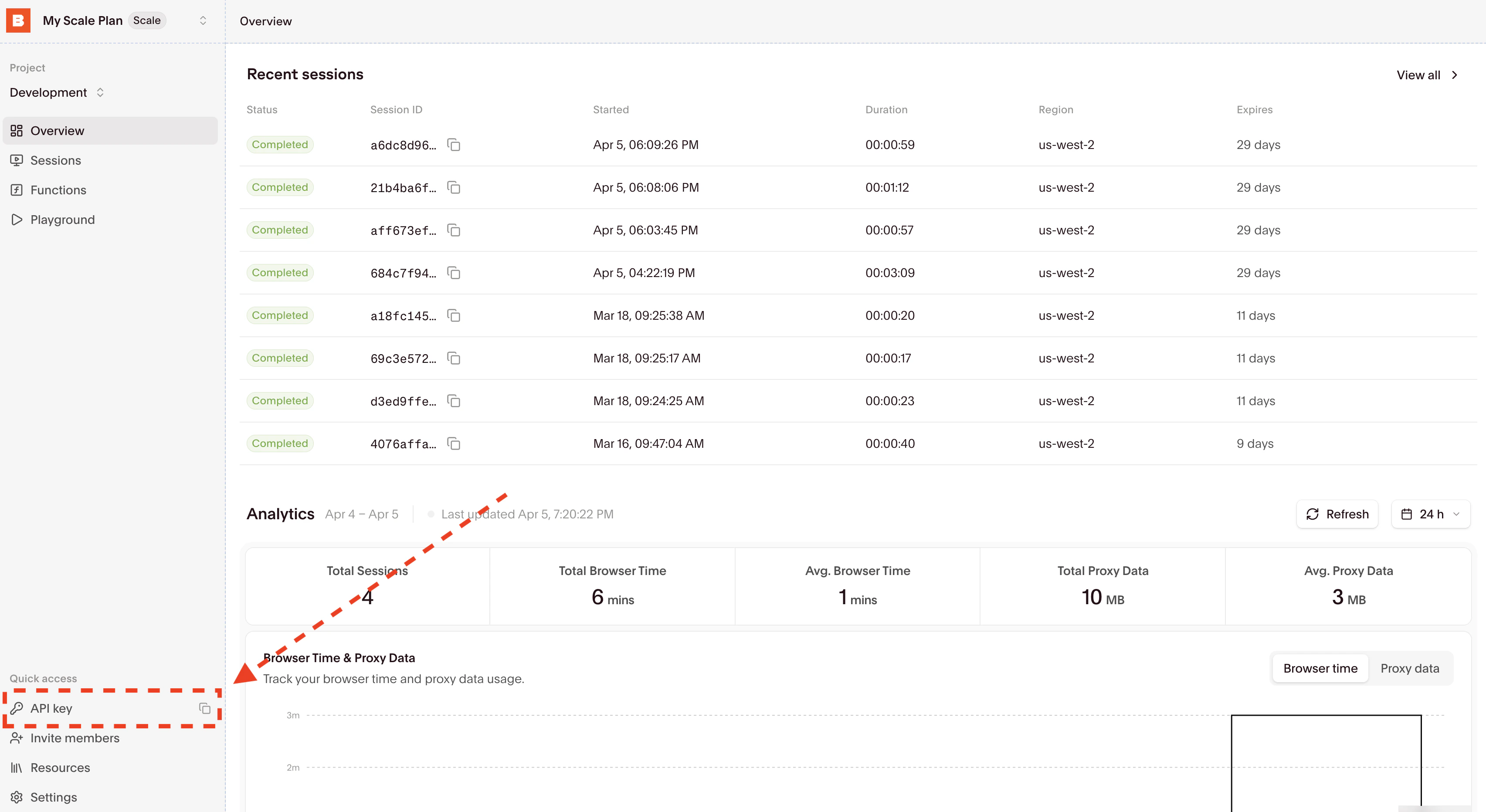
Copy your API Key. If you still rely on a Project ID for older workflows, keep that available as well.Don’t have an account yet? Sign up at browserbase.com.
2

Choose model credentials

For browser agents, you can use Browserbase Model Gateway with only your Browserbase API key. Model Gateway lets you switch between supported models in the node. Browserbase bills model usage at market rate through your Browserbase account.You can also bring your own API key from the model provider whose models you’ll use. Choose one:
If you bring your own Model API Key, it must match the provider of both your Driver Model and Agent Model. For example, if you select google/gemini-2.5-flash as your driver and google/gemini-2.5-computer-use-preview-10-2025 as your agent model, you need a Google API key.
3

Install the community node

In your n8n instance:
  1. Go to Settings > Community Nodes
  2. Click Install a community node
  3. Enter n8n-nodes-browserbase
  4. Click Install
Requires n8n v1.60.0 or later. If you’re self-hosting, make sure your instance is up to date.
4

Configure credentials

  1. Go to Credentials > Add Credential
  2. Search for “Browserbase” and select Browserbase API
  3. Fill in the three fields:
FieldValue
Browserbase API KeyYour API key from Step 1
Browserbase Project IDOptional legacy project ID from Step 1
Model API KeyOptional. Only required when using the Agent resource with your own model provider key instead of Model Gateway
  1. Click Save
All Browserbase nodes in your workflows use these credentials. You only need to set them up once.
5

Add the Browserbase node

  1. Create a new workflow (or open an existing one)
  2. Click + to add a node and search for “Browserbase”
  3. Select the Resource you want to use:
ResourceUse case
AgentRun a Stagehand-powered browser agent in a Browserbase session
SearchFind relevant URLs with the Search API without creating a browser session
FetchRetrieve page content with the Fetch API without creating a browser session
6

Configure the Agent resource

To run a browser agent, choose Resource = Agent and configure the required fields:
FieldDescription
ResourceAgent
Starting URLThe page where the agent begins (e.g., https://news.ycombinator.com)
InstructionNatural language task (e.g., “Find the top 3 stories and return their titles and URLs”)
Driver ModelPowers navigation and DOM interactions. Default: google/gemini-2.5-flash
ModeCUA (vision), DOM (selectors), or Hybrid (both)
Agent ModelOrchestration model. Available options change based on selected mode
When using your own Model API Key, the Driver Model and Agent Model must be from the same provider. With Model Gateway, you only need your Browserbase API key.
7

Try Search or Fetch

The same node also supports lightweight Browserbase APIs:Search
FieldDescription
ResourceSearch
QuerySearch query to execute
Number of ResultsOptional. How many results to return
Fetch
FieldDescription
ResourceFetch
URLURL to fetch
Follow RedirectsOptional. Follow HTTP redirects
Allow Insecure SSLOptional. Allow invalid SSL certificates
Use ProxiesOptional. Route traffic through Browserbase proxies
Search and Fetch only require your Browserbase API key. They do not create a browser session.
8

Run your workflow

Click Test Workflow to execute. When Resource = Agent, the node returns an AgentResult object:
{
  "success": true,
  "message": "Task completed successfully",
  "actions": [
    { "type": "act", "action": "clicked submit button" }
  ],
  "completed": true,
  "usage": {
    "input_tokens": 1250,
    "output_tokens": 340,
    "inference_time_ms": 2500
  },
  "sessionId": "abc-123"
}
When Resource = Search or Fetch, the node returns the corresponding Search or Fetch API response, which you can pass to downstream n8n nodes.You can connect additional nodes to process any of these outputs. Send them to a database, spreadsheet, Slack channel, or any other n8n integration.

Optional settings

Browser options

OptionTypeDefaultDescription
VerifiedbooleanfalseEnable Verified browser sessions
Block AdsbooleantrueBlock ads during browsing
Record SessionbooleantrueRecord the browser session for replay in the Browserbase Dashboard
Solve CaptchasbooleanfalseAutomatically solve captchas encountered during execution
Viewport Widthnumber1288Browser viewport width in pixels
Viewport Heightnumber711Browser viewport height in pixels

Session options

OptionTypeDefaultDescription
Regionselectus-west-2Region where the browser runs. Options: us-west-2 (Oregon), us-east-1 (Virginia), eu-central-1 (Frankfurt), and ap-southeast-1 (Singapore)
Timeoutnumber300Session timeout in seconds
Use ProxiesbooleantrueRoute traffic through residential proxies

Agent options

OptionTypeDefaultDescription
Max Stepsnumber20Maximum number of steps the agent can take
System PromptstringCustom system prompt to guide the agent’s behavior
Highlight CursorbooleantrueHighlight cursor during execution (CUA/Hybrid modes only)
VariablescollectionPass sensitive data to the agent using %name% placeholders in your instruction. The LLM sees placeholder names and optional descriptions but never the actual values. Learn more. (DOM and Hybrid modes)

Example workflows

Agent: data extraction
  • Starting URL: https://news.ycombinator.com
  • Instruction: Find the top 3 stories and return their titles and URLs
Agent: form filling (with variables)
  • Starting URL: https://example.com/contact
  • Instruction: Fill out the contact form with name %name% and email %email%, then submit
  • Variables: name = John Doe, email = john@example.com
Agent: navigation + action
  • Starting URL: https://github.com
  • Instruction: Search for "stagehand" and click on the first repository result
Search: web discovery
  • Query: browserbase documentation
  • Number of Results: 5
Fetch: lightweight retrieval
  • URL: https://www.browserbase.com
  • Follow Redirects: true
The Browserbase node has usableAsTool enabled for browser agents. You can use it as a tool from n8n’s built-in AI Agent node so higher-level agents can decide when to send work to a browser agent.

View on GitHub

Browse the source code, report issues, or contribute to the n8n community node.