

This quickstart uses Model Gateway. LLM requests for Stagehand route through your Browserbase API key, so you don’t need a separate model provider account. You can also bring your own API key if you prefer.
Discord
Community support
Docs
Full documentation
Templates
Ready-to-use examples
Quickstart
1
Get your API key
Your API key is displayed in the Dashboard Navigation row. The API key is all you need to get started. The project is inferred from your API key.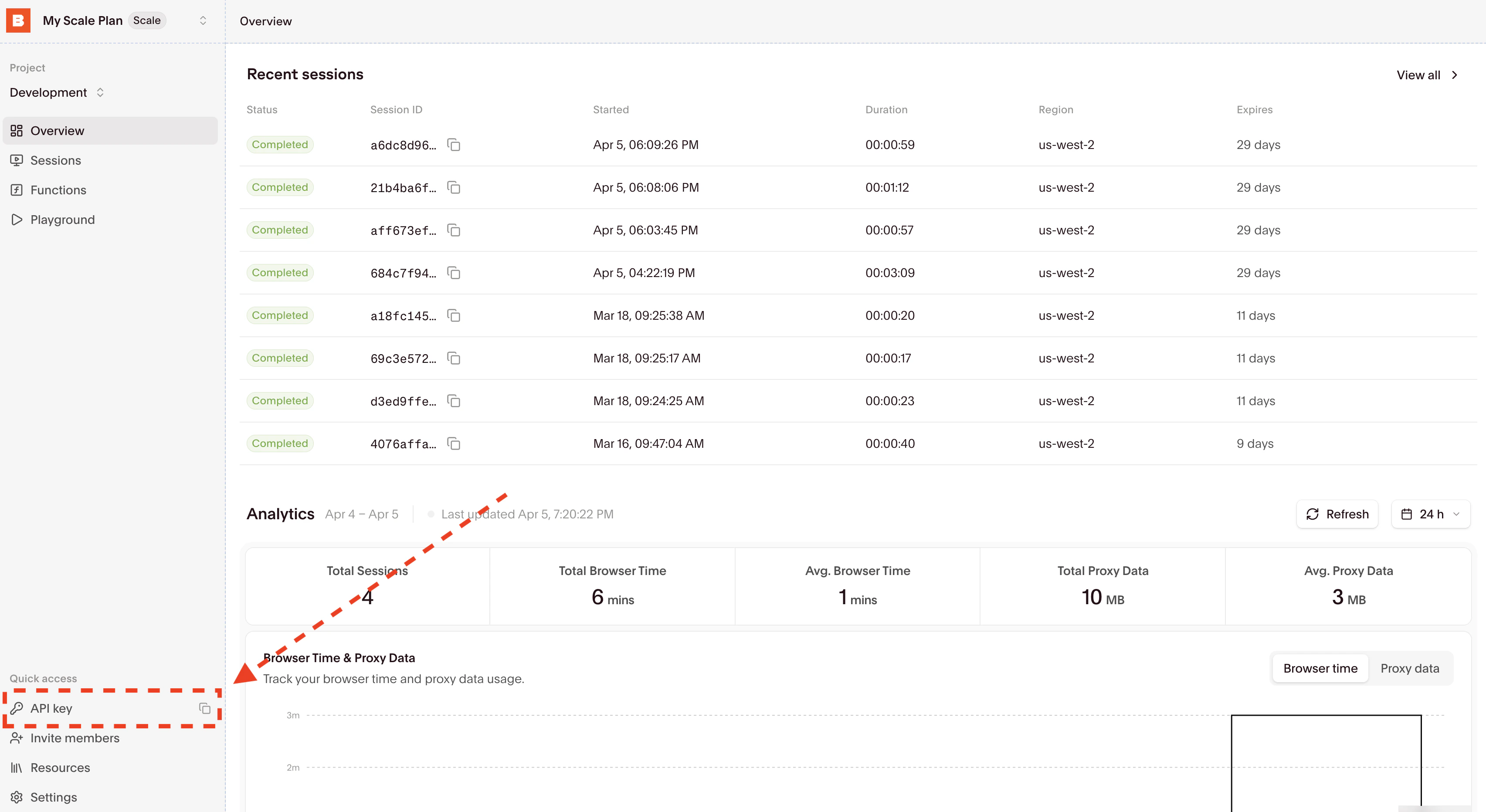
2
Set environment variables
3
Install and run
- Node.js
- Python
- Go
Node.js
script.ts, then run:4
Debug in Session Inspector
See every AI decision in the Stagehand tab of your session at
https://browserbase.com/sessions/{session_id}.Expected output
The script prints extractedtitle and points fields for the top Hacker News story. These values change over time; compare them with the page in the Session Inspector.
Cleanup
Both examples close Stagehand and the browser infinally. If you interrupt the process before cleanup completes, release the session using Manage browser sessions. These examples create no persistent browser context or output file.
Next steps
Stagehand docs
Learn about Stagehand primitives, models, and Browserbase configurations
npx create-browser-app
Scaffold a Stagehand project in one command. TypeScript, zero-config.