
Documentation Index

Fetch the complete documentation index at: https://docs.browserbase.com/llms.txt

Use this file to discover all available pages before exploring further.

LangChain Deep Agents is a framework for building planner-style agents that delegate work to subagents and pause for human approval at sensitive steps. Pair it with Browserbase to give the agent cheap web context, rendered extraction, and full interactive browser sessions.

Architecture

This integration exposes Browserbase to the Deep Agent as four Python tools:
  • browserbase_search — fast discovery with the Browserbase Search API.
  • browserbase_fetch — quick retrieval of static pages with the Browserbase Fetch API.
  • browserbase_rendered_extract — Stagehand-backed extraction for JavaScript-heavy pages.
  • browserbase_interactive_task — a Stagehand agent that handles clicks, typing, logins, and form submissions.
The first two run on the main agent for cheap context. The last two live on a browser-specialist subagent that isolates browser-heavy work from the planner. Stateful actions go through Deep Agents interrupt_on, so you approve each interactive task at the tool boundary. The full source is on GitHub.

Quickstart

1

Get your API key

Go to the Dashboard’s Settings tab:
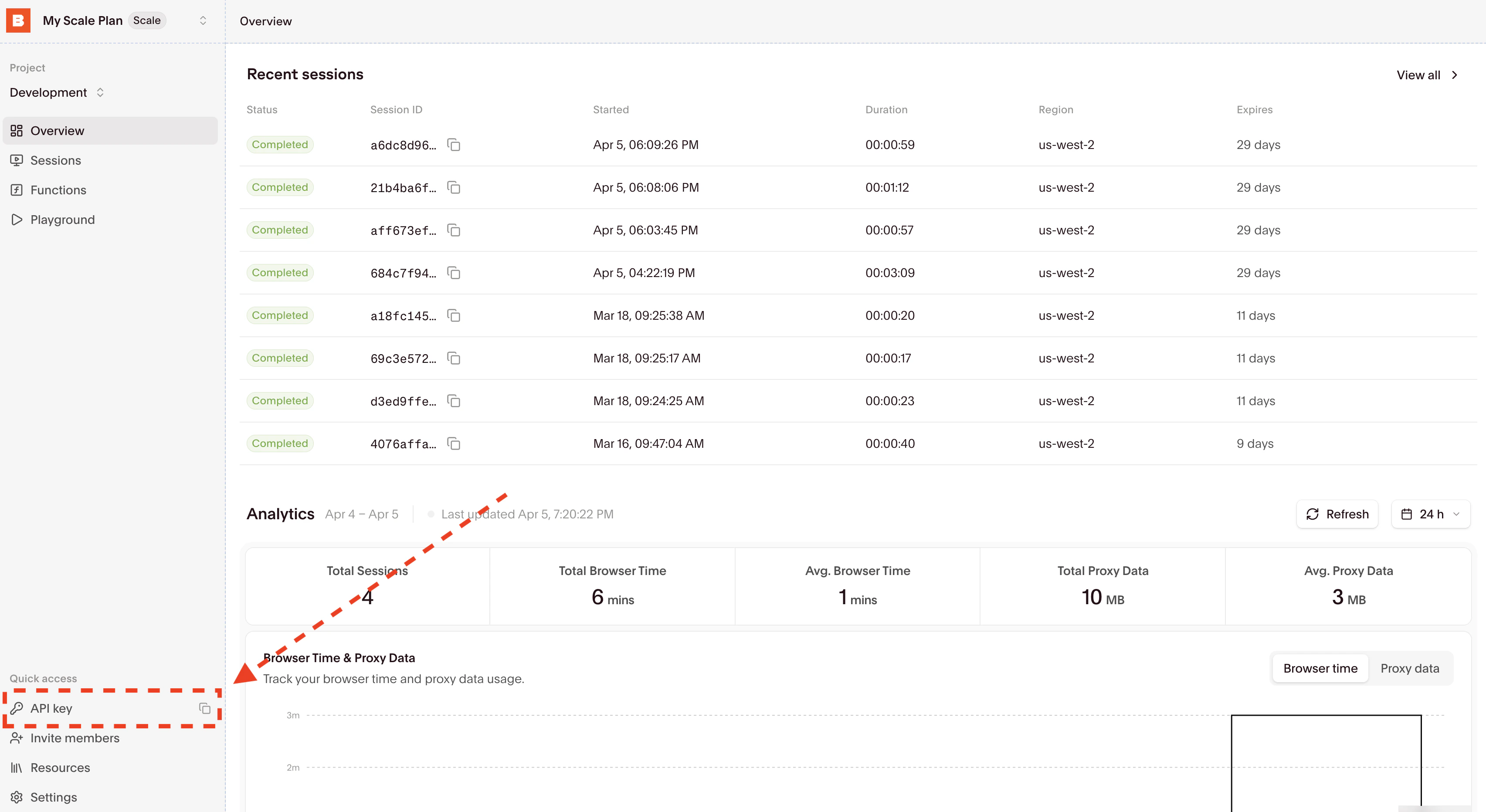
Copy your API key and set the BROWSERBASE_API_KEY environment variable.
2

Install dependencies

pip install browserbase stagehand deepagents langchain-openai beautifulsoup4 python-dotenv
3

Configure environment

The Deep Agent model client and the Browserbase tools both read from environment variables.
export BROWSERBASE_API_KEY="bb_..."

# Optional overrides
export DEEPAGENT_MODEL="gpt-5.4"
export DEEPAGENT_BASE_URL="https://<your-openai-compatible-gateway>"
export STAGEHAND_MODEL="google/gemini-3-flash-preview"
export STAGEHAND_AGENT_MODEL="anthropic/claude-sonnet-4-6"
Point DEEPAGENT_BASE_URL at any OpenAI-compatible endpoint. With the Browserbase Model Gateway, you can run the entire sample with a single Browserbase API key.
4

Define the Browserbase tools

Wrap the Browserbase SDK and Stagehand in @tool-decorated functions. The main agent gets browserbase_search and browserbase_fetch; the subagent gets the rendered and interactive variants.
from browserbase import Browserbase
from langchain.tools import tool
from stagehand import AsyncStagehand

@tool
def browserbase_search(query: str, num_results: int = 5) -> str:
    """Search the web with Browserbase. Use this first for discovery."""
    bb = Browserbase(api_key=os.environ["BROWSERBASE_API_KEY"])
    response = bb.search.web(query=query, num_results=num_results)
    # ... serialize results to JSON

@tool
def browserbase_fetch(url: str, use_proxy: bool = False) -> str:
    """Fetch page content without a browser session. Best for static pages."""
    bb = Browserbase(api_key=os.environ["BROWSERBASE_API_KEY"])
    response = bb.fetch_api.create(url=url, proxies=use_proxy)
    # ... extract title and text from HTML
See the full browser_tools.py for the Stagehand-backed browserbase_rendered_extract and browserbase_interactive_task tools.
5

Build the Deep Agent

Give the planner the cheap tools, register the browser subagent, and gate browserbase_interactive_task behind interrupt_on.
from deepagents import create_deep_agent
from langchain_openai import ChatOpenAI
from langgraph.checkpoint.memory import MemorySaver

BROWSER_SUBAGENT = {
    "name": "browser-specialist",
    "description": "Handles JS-heavy browsing and interactive tasks via Browserbase.",
    "system_prompt": "Use rendered extraction for read-only work. Use interactive tasks only for clicks, typing, login, or form submission.",
    "tools": [browserbase_rendered_extract, browserbase_interactive_task],
}

agent = create_deep_agent(
    model=ChatOpenAI(model="gpt-5.4", base_url=os.getenv("DEEPAGENT_BASE_URL")),
    tools=[browserbase_search, browserbase_fetch],
    subagents=[BROWSER_SUBAGENT],
    system_prompt="Start with browserbase_search for discovery. Prefer browserbase_fetch for static reads. Delegate rendered or multi-step work to the browser-specialist.",
    interrupt_on={
        "browserbase_interactive_task": {
            "allowed_decisions": ["approve", "edit", "reject"]
        }
    },
    checkpointer=MemorySaver(),
)
6

Run with human approval

When the agent calls browserbase_interactive_task, the run pauses. Approve, edit the arguments, or reject before the browser session executes.
from langgraph.types import Command

result = agent.invoke(
    {"messages": [{"role": "user", "content": "Research the Browserbase Fetch API and cite the docs."}]},
    config={"configurable": {"thread_id": "demo"}},
    version="v2",
)

while result.interrupts:
    # Show pending tool call to a human, collect decisions, then resume:
    decisions = [{"type": "approve"}]
    result = agent.invoke(
        Command(resume={"decisions": decisions}),
        config={"configurable": {"thread_id": "demo"}},
        version="v2",
    )

print(result.value["messages"][-1].content)

When to use which tool

ToolUse whenCost
browserbase_searchYou need to discover URLs from a query.Cheap, no browser session.
browserbase_fetchYou have a URL and the page renders without JavaScript.Cheap, no browser session.
browserbase_rendered_extractThe page needs JavaScript to render content you want to read.Full browser session.
browserbase_interactive_taskThe task requires clicking, typing, login, or form submission.Full browser session, gated behind interrupt_on.
Front-load the cheap tools. Escalate to a browser session only when the page or task demands it.

Why approve at the tool boundary

Deep Agents interrupt_on pauses the run when the agent picks a guarded tool. Putting human approval on browserbase_interactive_task means the human sees the exact start_url and task arguments before any clicks, typing, or form submission run in the browser. Browserbase records the resulting session, so you get a replay of every approved action.

Further reading

LangChain Deep Agents

The Deep Agents framework — planners, subagents, and human-in-the-loop interrupts.

Search and Fetch APIs

Cheap, token-efficient web context for agents. Use these before opening a browser.

Stagehand

The SDK for browser agents. Powers rendered extraction and interactive tasks.

Model Gateway

Frontier models behind a single Browserbase API key with unified billing.