> ## Documentation Index
> Fetch the complete documentation index at: https://docs.browserbase.com/llms.txt
> Use this file to discover all available pages before exploring further.
# Registering endpoints
> Create, list, update, rotate, and delete webhook endpoints with the Browserbase SDK.
An endpoint is an HTTPS URL on your server that Browserbase POSTs events to. Endpoints belong to a project, and the API key you use determines which project owns the webhook.
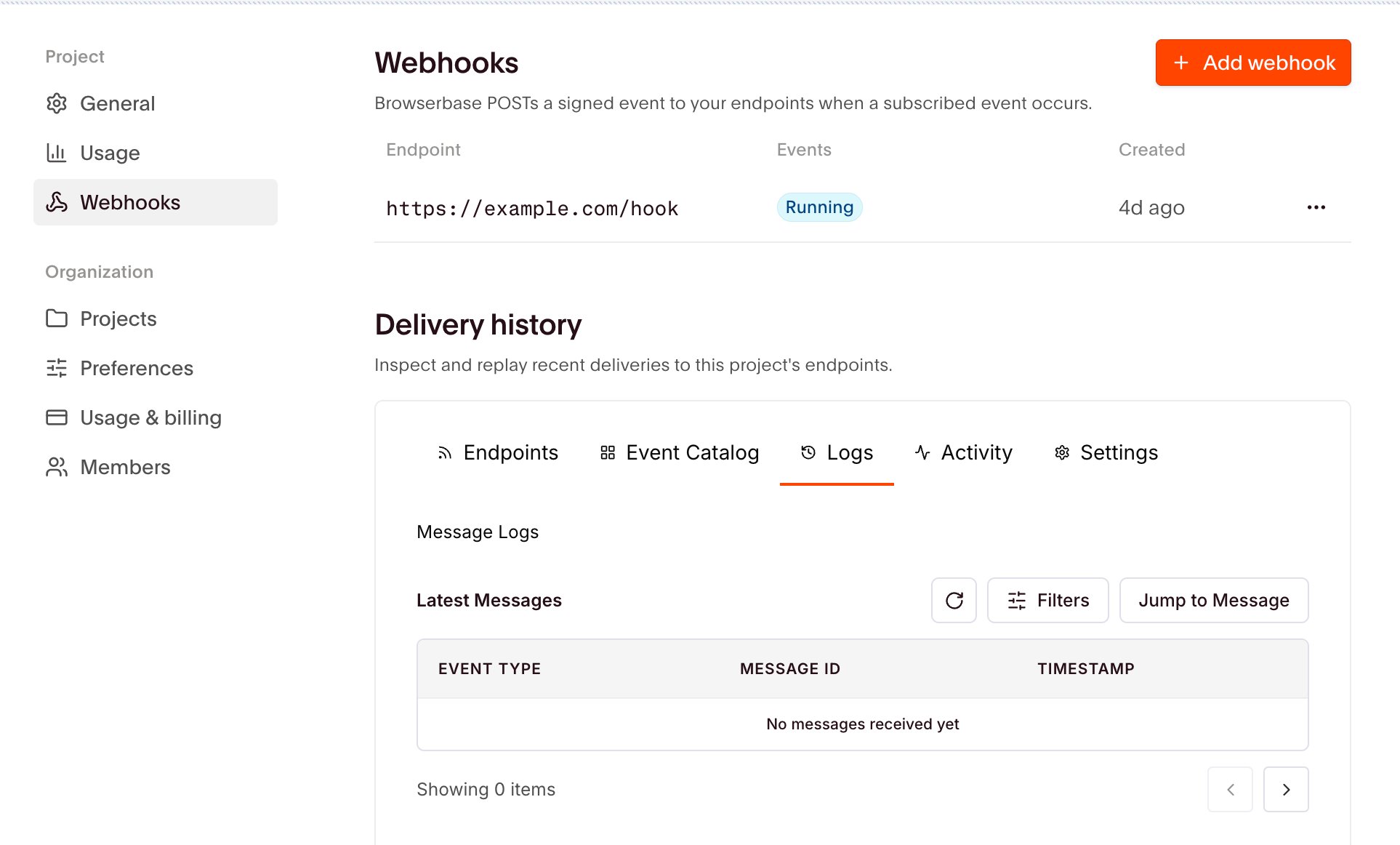
You can manage endpoints from [Settings](https://www.browserbase.com/settings) as well as through the SDK. Both act on the same webhooks.
 ## Create an endpoint
```typescript Node.js theme={null}
import { Browserbase } from "@browserbasehq/sdk";
const bb = new Browserbase({ apiKey: process.env.BROWSERBASE_API_KEY! });
const webhook = await bb.webhooks.create({
endpoint: "https://example.com/browserbase/events",
eventTypes: ["functions.invocations.completed"],
});
// Store this now. You can't retrieve it later.
console.log(webhook.secret);
```
```python Python theme={null}
import os
from browserbase import Browserbase
bb = Browserbase(api_key=os.environ["BROWSERBASE_API_KEY"])
webhook = bb.webhooks.create(
endpoint="https://example.com/browserbase/events",
event_types=["functions.invocations.completed"],
)
# Store this now. You can't retrieve it later.
print(webhook.secret)
```
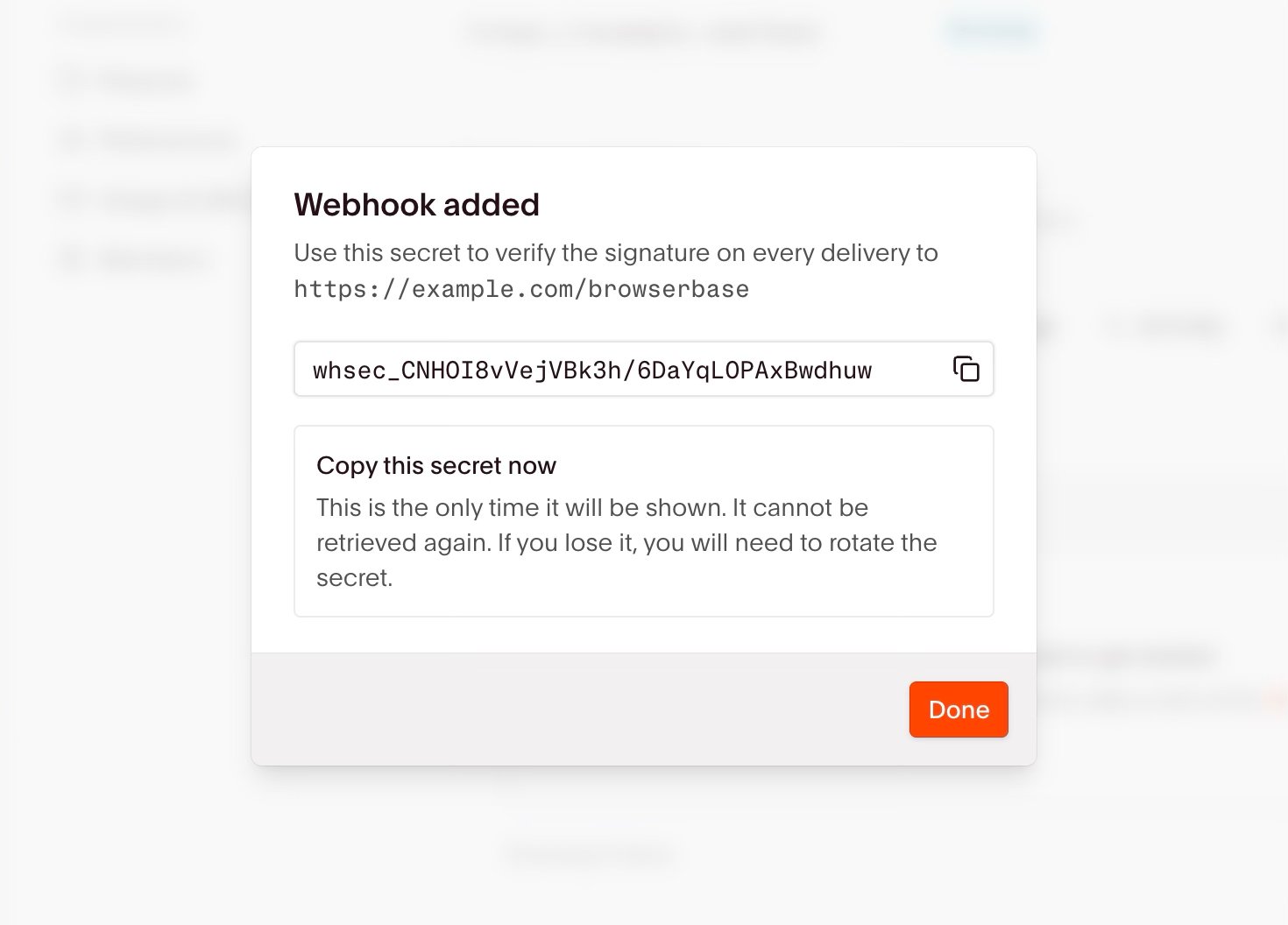
Browserbase returns the signing secret **only** when you create the webhook and when you rotate it. No endpoint reads it back, so store it before you discard the response.
Creating one from the dashboard shows the secret the same way, once.
## Create an endpoint
```typescript Node.js theme={null}
import { Browserbase } from "@browserbasehq/sdk";
const bb = new Browserbase({ apiKey: process.env.BROWSERBASE_API_KEY! });
const webhook = await bb.webhooks.create({
endpoint: "https://example.com/browserbase/events",
eventTypes: ["functions.invocations.completed"],
});
// Store this now. You can't retrieve it later.
console.log(webhook.secret);
```
```python Python theme={null}
import os
from browserbase import Browserbase
bb = Browserbase(api_key=os.environ["BROWSERBASE_API_KEY"])
webhook = bb.webhooks.create(
endpoint="https://example.com/browserbase/events",
event_types=["functions.invocations.completed"],
)
# Store this now. You can't retrieve it later.
print(webhook.secret)
```
Browserbase returns the signing secret **only** when you create the webhook and when you rotate it. No endpoint reads it back, so store it before you discard the response.
Creating one from the dashboard shows the secret the same way, once.
 Endpoint URLs must meet these requirements:
* The endpoint must be `https://` with a real host. Browserbase rejects `http://` and a bare `https://`.
* You can register each endpoint URL only once per project. Registering the same URL again returns a conflict instead of creating a duplicate.
## List endpoints
Listing is cursor-paginated.
```typescript Node.js theme={null}
const page = await bb.webhooks.list({ limit: 20 });
for (const webhook of page.data) {
console.log(webhook.id, webhook.endpoint, webhook.eventTypes);
}
if (page.nextCursor) {
const next = await bb.webhooks.list({ limit: 20, cursor: page.nextCursor });
}
```
```python Python theme={null}
page = bb.webhooks.list(limit=20)
for webhook in page.data:
print(webhook.id, webhook.endpoint, webhook.event_types)
if page.next_cursor:
next_page = bb.webhooks.list(limit=20, cursor=page.next_cursor)
```
## Update an endpoint
Supplying `eventTypes` **replaces** the subscription set instead of adding to it, so include every type you want to keep.
```typescript Node.js theme={null}
await bb.webhooks.update(webhook.id, {
eventTypes: ["functions.invocations.completed", "functions.invocations.failed"],
});
```
```python Python theme={null}
bb.webhooks.update(
webhook.id,
event_types=["functions.invocations.completed", "functions.invocations.failed"],
)
```
## Rotate the signing secret
Rotation issues a new secret and returns it once. The previous secret keeps verifying for **24 hours**, so you can deploy the new one without dropping deliveries. Pass `revokeImmediately` to expire it at once, which is what you want if the old secret leaked.
```typescript Node.js theme={null}
const rotated = await bb.webhooks.rotateSecret(webhook.id, {
revokeImmediately: false,
});
console.log(rotated.secret);
```
```python Python theme={null}
rotated = bb.webhooks.rotate_secret(webhook.id, revoke_immediately=False)
print(rotated.secret)
```
The safe order is: rotate, deploy the new secret alongside the old one, verify traffic is arriving, then stop accepting the old secret.
Only a limited number of rotated secrets can sit inside their 24 hour windows at once. Rotating the same endpoint again before an earlier window closes fails, and nothing changes. Either wait for a window to close, or pass `revokeImmediately` so the previous secret expires instead of holding one open.
## Delete an endpoint
Deliveries stop immediately.
```typescript Node.js theme={null}
await bb.webhooks.delete(webhook.id);
```
```python Python theme={null}
bb.webhooks.delete(webhook.id)
```
Check the signature before trusting a request.
Endpoint URLs must meet these requirements:
* The endpoint must be `https://` with a real host. Browserbase rejects `http://` and a bare `https://`.
* You can register each endpoint URL only once per project. Registering the same URL again returns a conflict instead of creating a duplicate.
## List endpoints
Listing is cursor-paginated.
```typescript Node.js theme={null}
const page = await bb.webhooks.list({ limit: 20 });
for (const webhook of page.data) {
console.log(webhook.id, webhook.endpoint, webhook.eventTypes);
}
if (page.nextCursor) {
const next = await bb.webhooks.list({ limit: 20, cursor: page.nextCursor });
}
```
```python Python theme={null}
page = bb.webhooks.list(limit=20)
for webhook in page.data:
print(webhook.id, webhook.endpoint, webhook.event_types)
if page.next_cursor:
next_page = bb.webhooks.list(limit=20, cursor=page.next_cursor)
```
## Update an endpoint
Supplying `eventTypes` **replaces** the subscription set instead of adding to it, so include every type you want to keep.
```typescript Node.js theme={null}
await bb.webhooks.update(webhook.id, {
eventTypes: ["functions.invocations.completed", "functions.invocations.failed"],
});
```
```python Python theme={null}
bb.webhooks.update(
webhook.id,
event_types=["functions.invocations.completed", "functions.invocations.failed"],
)
```
## Rotate the signing secret
Rotation issues a new secret and returns it once. The previous secret keeps verifying for **24 hours**, so you can deploy the new one without dropping deliveries. Pass `revokeImmediately` to expire it at once, which is what you want if the old secret leaked.
```typescript Node.js theme={null}
const rotated = await bb.webhooks.rotateSecret(webhook.id, {
revokeImmediately: false,
});
console.log(rotated.secret);
```
```python Python theme={null}
rotated = bb.webhooks.rotate_secret(webhook.id, revoke_immediately=False)
print(rotated.secret)
```
The safe order is: rotate, deploy the new secret alongside the old one, verify traffic is arriving, then stop accepting the old secret.
Only a limited number of rotated secrets can sit inside their 24 hour windows at once. Rotating the same endpoint again before an earlier window closes fails, and nothing changes. Either wait for a window to close, or pass `revokeImmediately` so the previous secret expires instead of holding one open.
## Delete an endpoint
Deliveries stop immediately.
```typescript Node.js theme={null}
await bb.webhooks.delete(webhook.id);
```
```python Python theme={null}
bb.webhooks.delete(webhook.id)
```
Check the signature before trusting a request.