> ## Documentation Index
> Fetch the complete documentation index at: https://docs.browserbase.com/llms.txt
> Use this file to discover all available pages before exploring further.
# Overview
> Receive a signed HTTP request when something happens in Browserbase, instead of polling for it.
Browserbase webhooks send an HTTP POST to an endpoint you own as soon as a subscribed event happens, so you don't have to poll the API for status changes.
A webhook is useful for monitoring a process that finishes on its own schedule, such as a Function invocation reaching a terminal state. Without webhooks, you'd have to poll for these lifecycle events.
Teams typically use them to:
* Update a record once a Function invocation completes, without holding a request open while it runs.
* Alert an on-call channel the moment a Function build fails, instead of finding out at the next deploy.
* Start downstream work, such as sending a confirmation email or queueing a job, as soon as an invocation finishes.
## What you receive
Browserbase POSTs the event payload wrapped in an envelope, with `webhook-id`, `webhook-timestamp`, and `webhook-signature` headers:
```json theme={null}
{
"id": "85e6ff2d-91de-468a-867c-e0d9e4587063",
"type": "functions.invocations.completed",
"resourceId": "a3f1c2d4-7b90-4e51-9c8a-2f6d1e0b4c73",
"data": { ... }
}
```
`id` identifies the event, `type` is the event type, `resourceId` is the resource it concerns, and `data` is the type-specific payload.
These envelope keys are additive. Browserbase may add keys but will not rename or remove them, so parse defensively and ignore anything you don't recognize.
## Event types
Subscribe an endpoint to one or more event types. An endpoint receives only the types it subscribes to.
| Event type | Fires when |
| --------------------------------- | -------------------------------------------- |
| `functions.invocations.pending` | Browserbase accepts and queues an invocation |
| `functions.invocations.running` | An invocation starts executing |
| `functions.invocations.completed` | An invocation finishes successfully |
| `functions.invocations.failed` | An invocation fails |
| `functions.builds.running` | A build starts |
| `functions.builds.completed` | A build finishes successfully |
| `functions.builds.failed` | A build fails |
Browserbase rejects a subscription to a type that doesn't exist, so a typo fails when you register the endpoint instead of silently receiving nothing.
These events come from [Functions](/platform/runtime/overview). An invocation is one run of a Function, and a build is a publish of your Function code.
## Delivery
Your endpoint has **15 seconds** to respond with any `2xx` status for the delivery to count as successful. Nothing reads the response body, so an empty one is fine.
Anything else counts as a failure and triggers a retry:
* Any status outside `2xx`, including a `3xx` redirect.
* No response within 15 seconds.
* A connection that never opens, such as a DNS or TLS error.
Retries run immediately, then after 5s, 5m, 30m, 2h, 5h, 10h, and 10h. The eighth attempt is the last, and the event then counts as failed.
An endpoint that keeps failing for five days stops receiving deliveries entirely. If events stop arriving with no other explanation, check that first.
Return `2xx` as soon as you have stored the event, then process it. Slow processing inside the request is a common and avoidable source of retries.
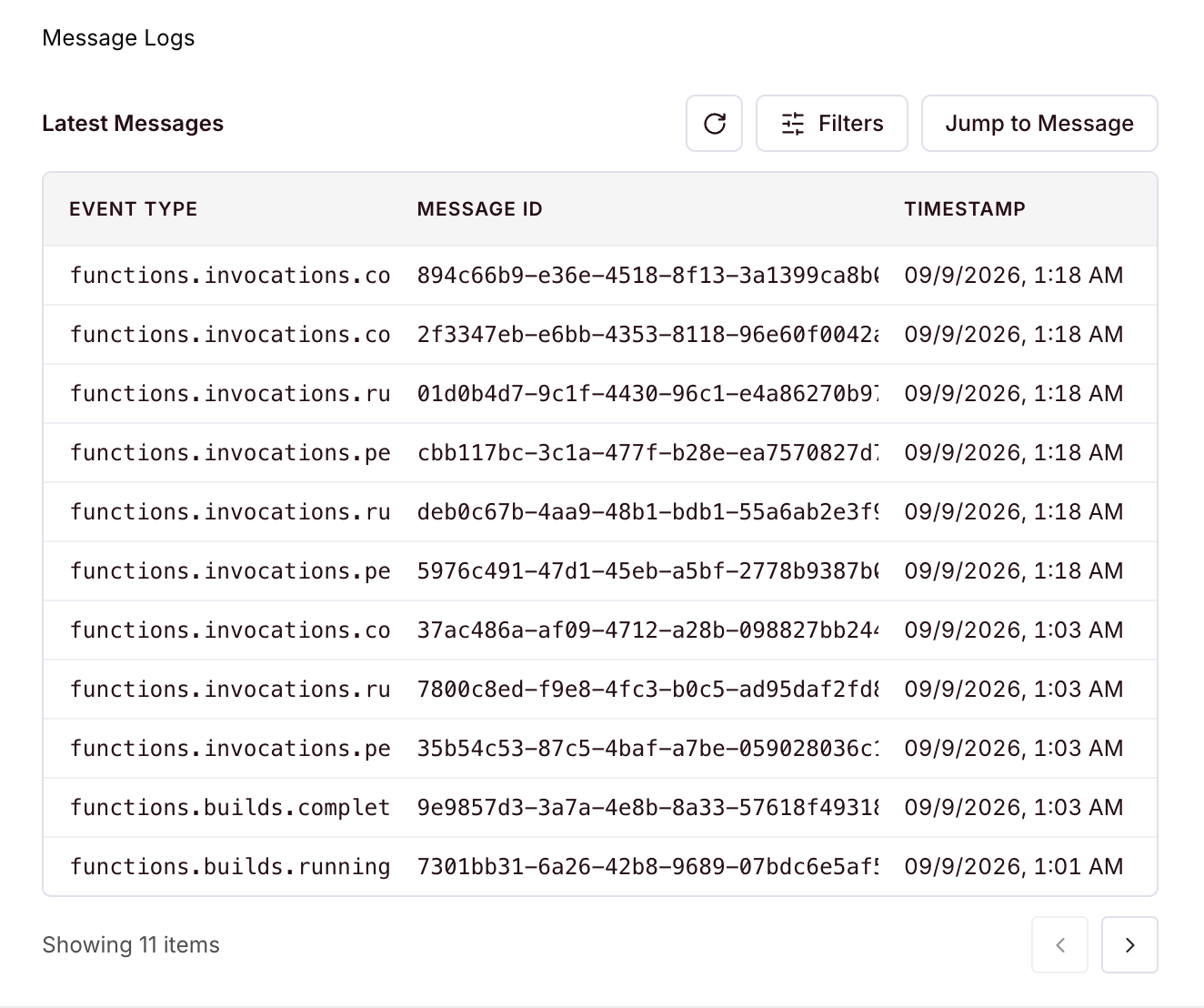
[Settings](https://www.browserbase.com/settings) lists every delivery with its event type, message ID, and timestamp.
 Create, list, update, and rotate webhooks with the SDK.