> ## Documentation Index
> Fetch the complete documentation index at: https://docs.browserbase.com/llms.txt
> Use this file to discover all available pages before exploring further.
# Timeout
> Extend session duration beyond the default timeout period.
By default, Browserbase sessions have a timeout period after which they automatically terminate, which prevents sessions from running forever unexpectedly.
You can **extend this duration** either project-wide or per-session, allowing you to keep working without worrying about the session timing out.
The maximum session duration is 6 hours. When a session times out, you'll see a `TimeoutError`: `Timeout _____ms exceeded`.
## Project-wide timeout
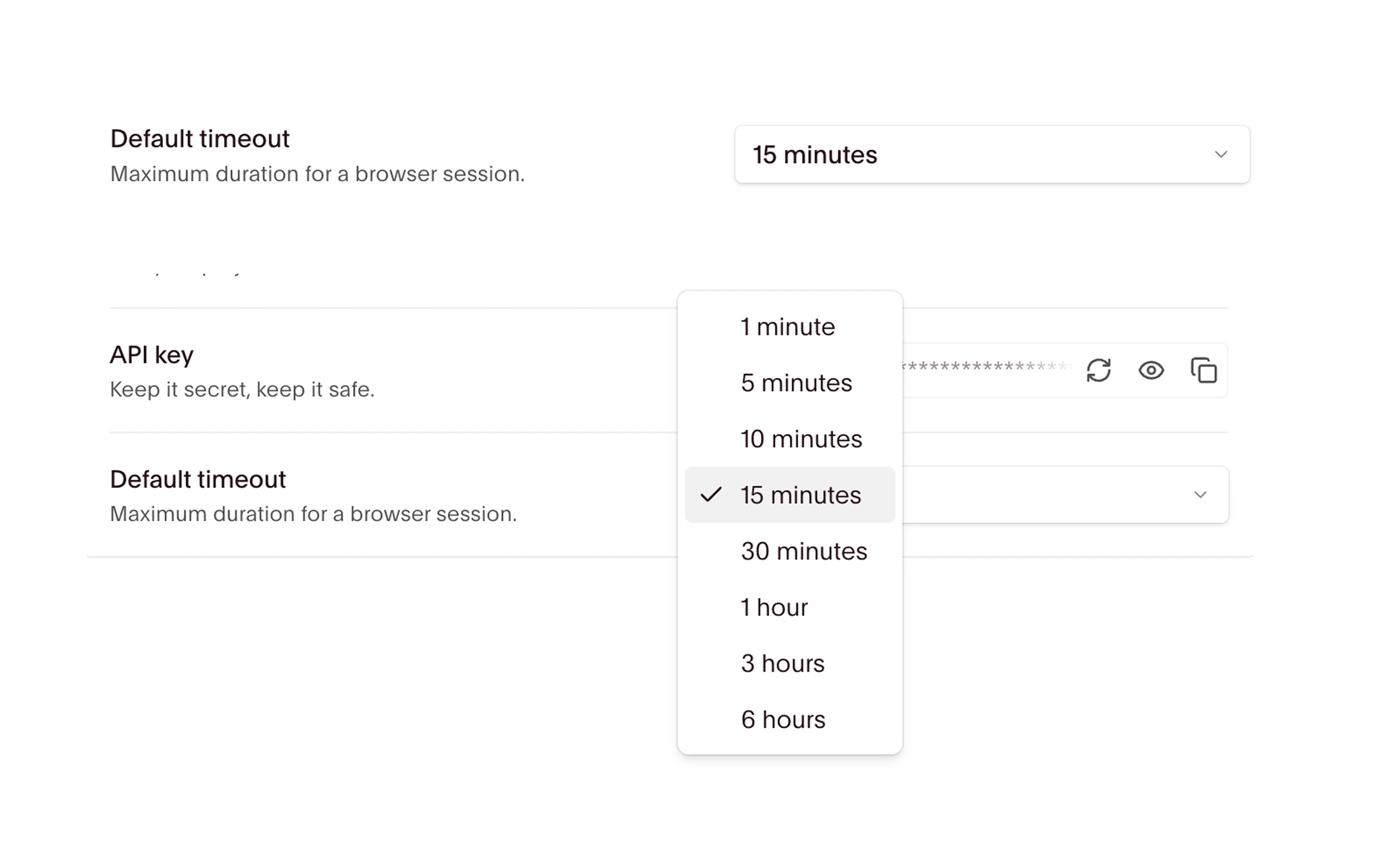
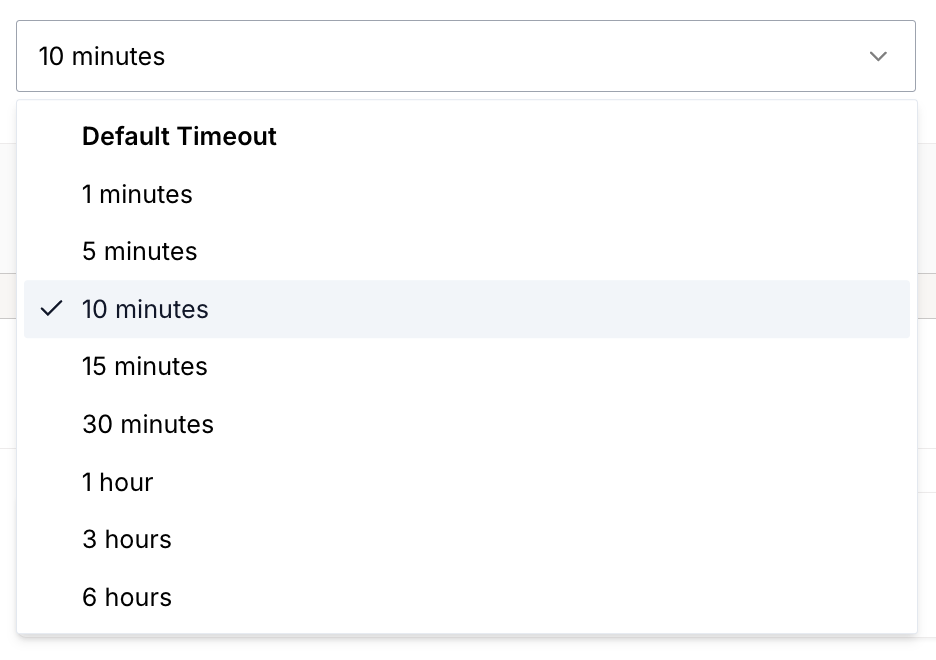
You can change the default session timeout for all sessions in your project through the dashboard settings.
 ## Per-session timeout
You can also set a custom timeout through code by specifying the `timeout` option in the API request body or with the SDK.
This is useful when different sessions need different timeouts, or when you need more granular control than the dashboard toggle provides.
The examples below set timeout to 3600 seconds (1 hour), overriding the project default. Unless explicitly closed beforehand, the session continues running for an hour before terminating. At disconnect, it ends.
```typescript SDK theme={null}
import Browserbase from "browserbase";
const bb = new Browserbase({
apiKey: process.env.BROWSERBASE_API_KEY!,
});
// Creates a session with a timeout of 3600 seconds (1 hour)
const session = await bb.sessions.create({
timeout: 3600,
});
```
```typescript API theme={null}
const options = {
method: "POST",
headers: {
"X-BB-API-Key": "",
"Content-Type": "application/json",
},
body: '{"timeout": 3600}',
};
fetch("https://api.browserbase.com/v1/sessions", options)
.then((response) => response.json())
.then((response) => console.log(response))
.catch((err) => console.error(err));
```
```python SDK theme={null}
from browserbase import Browserbase
import os
bb = Browserbase(api_key=os.environ["BROWSERBASE_API_KEY"])
# Creates a session with a timeout of 3600 seconds (1 hour)
session = bb.sessions.create(
api_timeout=3600
)
```
```python API theme={null}
import os
import requests
headers = {"x-bb-api-key": os.environ["BROWSERBASE_API_KEY"]}
json = {
"api_timeout": 3600,
}
response = requests.post(
"https://api.browserbase.com/v1/sessions",
json=json,
headers=headers,
)
response.raise_for_status()
print(response.json())
```
## Timeouts and keep alive
Setting a custom timeout extends how long a session can run, but the session still terminates when you disconnect.
If you need to **disconnect and reconnect** to the same session, use [Keep Alive](/platform/browser/long-sessions/keep-alive) instead. For sessions that need both extended duration and reconnection support, configure both options:
```typescript theme={null}
const session = await bb.sessions.create({
keepAlive: true,
timeout: 3600, // 1 hour
});
```
Learn how to keep sessions alive across disconnects.
## Per-session timeout
You can also set a custom timeout through code by specifying the `timeout` option in the API request body or with the SDK.
This is useful when different sessions need different timeouts, or when you need more granular control than the dashboard toggle provides.
The examples below set timeout to 3600 seconds (1 hour), overriding the project default. Unless explicitly closed beforehand, the session continues running for an hour before terminating. At disconnect, it ends.
```typescript SDK theme={null}
import Browserbase from "browserbase";
const bb = new Browserbase({
apiKey: process.env.BROWSERBASE_API_KEY!,
});
// Creates a session with a timeout of 3600 seconds (1 hour)
const session = await bb.sessions.create({
timeout: 3600,
});
```
```typescript API theme={null}
const options = {
method: "POST",
headers: {
"X-BB-API-Key": "",
"Content-Type": "application/json",
},
body: '{"timeout": 3600}',
};
fetch("https://api.browserbase.com/v1/sessions", options)
.then((response) => response.json())
.then((response) => console.log(response))
.catch((err) => console.error(err));
```
```python SDK theme={null}
from browserbase import Browserbase
import os
bb = Browserbase(api_key=os.environ["BROWSERBASE_API_KEY"])
# Creates a session with a timeout of 3600 seconds (1 hour)
session = bb.sessions.create(
api_timeout=3600
)
```
```python API theme={null}
import os
import requests
headers = {"x-bb-api-key": os.environ["BROWSERBASE_API_KEY"]}
json = {
"api_timeout": 3600,
}
response = requests.post(
"https://api.browserbase.com/v1/sessions",
json=json,
headers=headers,
)
response.raise_for_status()
print(response.json())
```
## Timeouts and keep alive
Setting a custom timeout extends how long a session can run, but the session still terminates when you disconnect.
If you need to **disconnect and reconnect** to the same session, use [Keep Alive](/platform/browser/long-sessions/keep-alive) instead. For sessions that need both extended duration and reconnection support, configure both options:
```typescript theme={null}
const session = await bb.sessions.create({
keepAlive: true,
timeout: 3600, // 1 hour
});
```
Learn how to keep sessions alive across disconnects.