> ## Documentation Index
> Fetch the complete documentation index at: https://docs.browserbase.com/llms.txt
> Use this file to discover all available pages before exploring further.
# crewAI integration
> Let your crewAI Agent browse the web like a human.
One of the most advanced use cases for LLMs is AI Agents, programs designed to perform tasks based on high-level instructions.
[crewAI](https://www.crewai.com/) is a framework to create Crews, teams of Agents working together on a given problem. For example, searching for a flight:
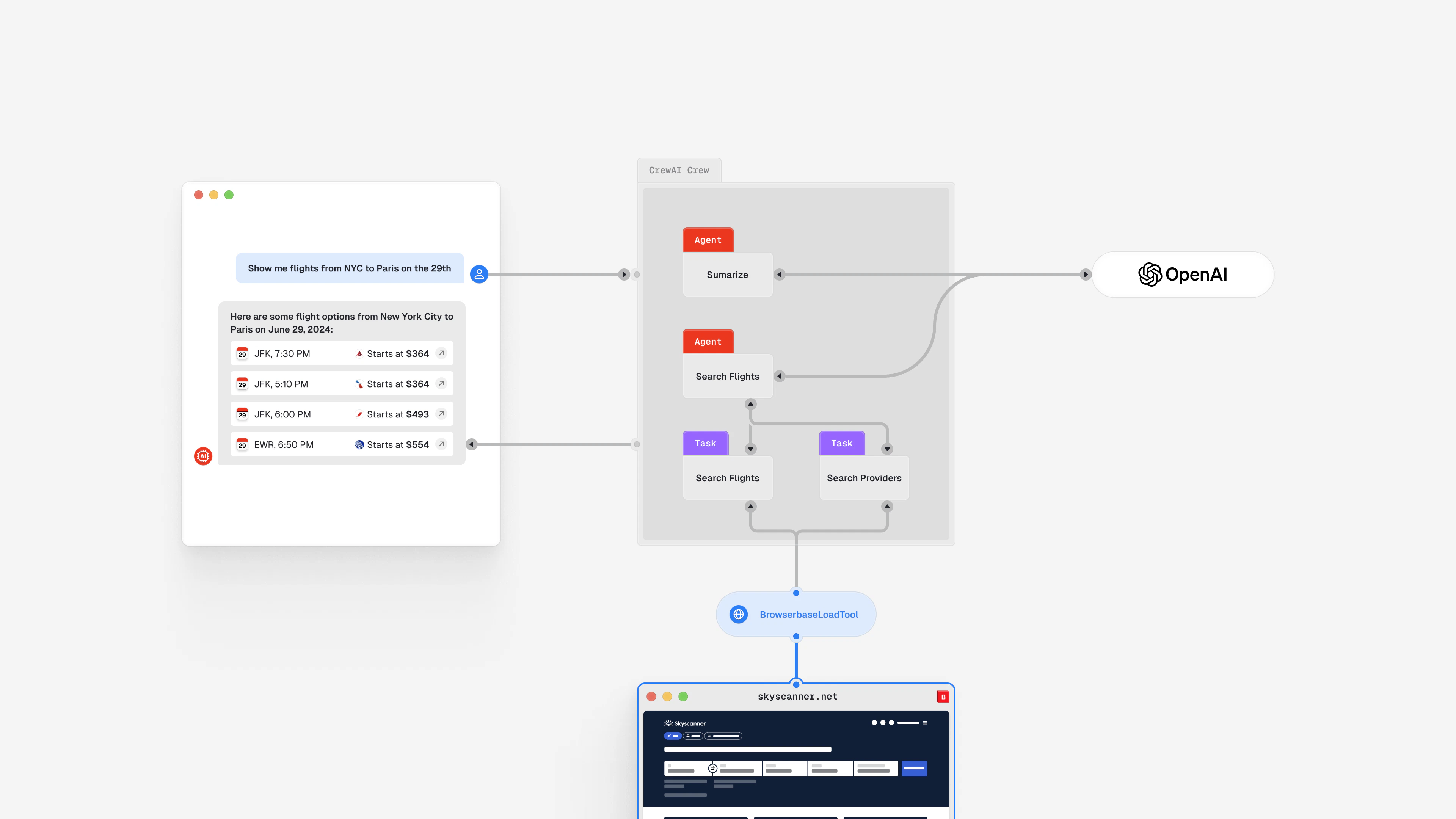 AI Agents rely on tools to gather rich contexts and perform actions to achieve such results.
Browserbase provides a [BrowserbaseLoadTool](https://docs.crewai.com/tools/BrowserbaseLoadTool/) that Agents can use to retrieve context from complex webpages such as:
* Extract text from webpages using JavaScript or bot protection systems
* Capture images from webpages
## Get started with Browserbase for crewAI
Enable your crewAI Agents to browse the web like humans.
Combine crewAI and Browserbase to build a Flight Booking Crew.
AI Agents rely on tools to gather rich contexts and perform actions to achieve such results.
Browserbase provides a [BrowserbaseLoadTool](https://docs.crewai.com/tools/BrowserbaseLoadTool/) that Agents can use to retrieve context from complex webpages such as:
* Extract text from webpages using JavaScript or bot protection systems
* Capture images from webpages
## Get started with Browserbase for crewAI
Enable your crewAI Agents to browse the web like humans.
Combine crewAI and Browserbase to build a Flight Booking Crew.