> ## Documentation Index
> Fetch the complete documentation index at: https://docs.browserbase.com/llms.txt
> Use this file to discover all available pages before exploring further.
# Add web browsing capabilities to Agno
> Integrate Browserbase with Agno
Get up and running with data extraction in under 5 minutes.
## Setup
**Install packages:**
```shell theme={null}
pip install browserbase playwright agno
```
**Set environment variables:**
```shell theme={null}
export BROWSERBASE_API_KEY=your_api_key_here
```
To get env variables, go over the [Dashboard's Settings tab](https://www.browserbase.com/settings):
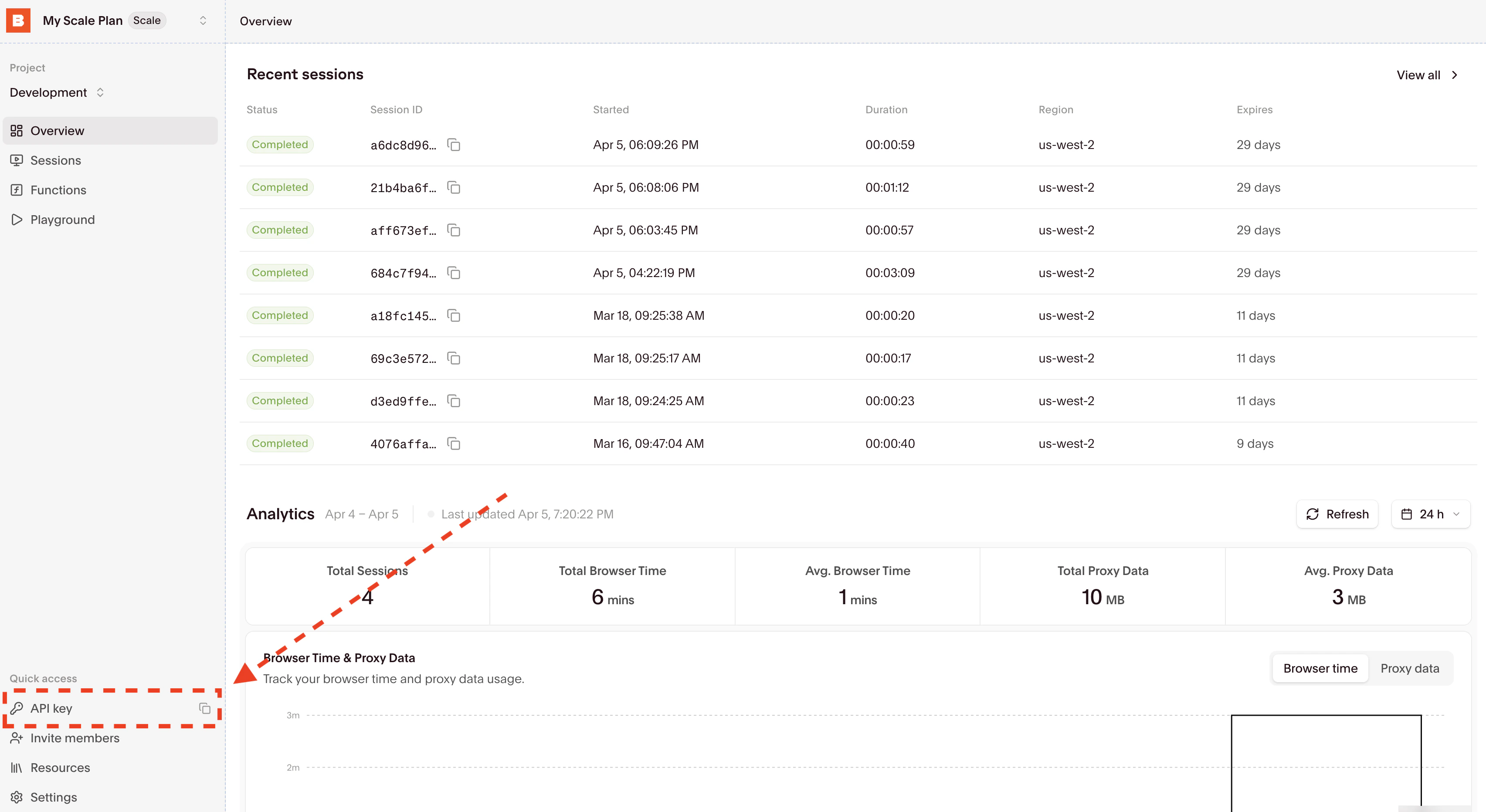 Then copy your API Key directly from the input and set the `BROWSERBASE_API_KEY` environment variable.
## Basic example
```python theme={null}
from agno.agent import Agent
from agno.tools.browserbase import BrowserbaseTools
# Create extraction agent
agent = Agent(
name="Data Extractor",
tools=[BrowserbaseTools()],
instructions=[
"Extract content clearly and format nicely",
"Always close sessions when done"
],
markdown=True,
)
# Extract quotes
response = agent.run("""
Go to https://quotes.toscrape.com and:
1. Get the first 3 quotes with authors
2. Navigate to page 2
3. Get 2 more quotes from page 2
""")
print(response.content)
```
## Essential functions
| Function | Purpose | Usage |
| ------------------ | --------------- | -------------------------------------------------------- |
| `navigate_to` | Go to URL | "Navigate to [https://example.com](https://example.com)" |
| `get_page_content` | Extract HTML | "Get the page content" |
| `screenshot` | Take screenshot | "Take screenshot, save as 'page.png'" |
| `close_session` | End session | "Close the current session" |
Then copy your API Key directly from the input and set the `BROWSERBASE_API_KEY` environment variable.
## Basic example
```python theme={null}
from agno.agent import Agent
from agno.tools.browserbase import BrowserbaseTools
# Create extraction agent
agent = Agent(
name="Data Extractor",
tools=[BrowserbaseTools()],
instructions=[
"Extract content clearly and format nicely",
"Always close sessions when done"
],
markdown=True,
)
# Extract quotes
response = agent.run("""
Go to https://quotes.toscrape.com and:
1. Get the first 3 quotes with authors
2. Navigate to page 2
3. Get 2 more quotes from page 2
""")
print(response.content)
```
## Essential functions
| Function | Purpose | Usage |
| ------------------ | --------------- | -------------------------------------------------------- |
| `navigate_to` | Go to URL | "Navigate to [https://example.com](https://example.com)" |
| `get_page_content` | Extract HTML | "Get the page content" |
| `screenshot` | Take screenshot | "Take screenshot, save as 'page.png'" |
| `close_session` | End session | "Close the current session" |